2J latest APK — v4.2.1

Download the 2J New App

A 48 MB install, four short steps, and roughly two minutes from start to first screen. The 2J app caches slot artwork locally, so titles you have already opened load noticeably faster and use less mobile data on every return visit.

Version4.2.1
Size48 MB
Android7.0+
PriceFree
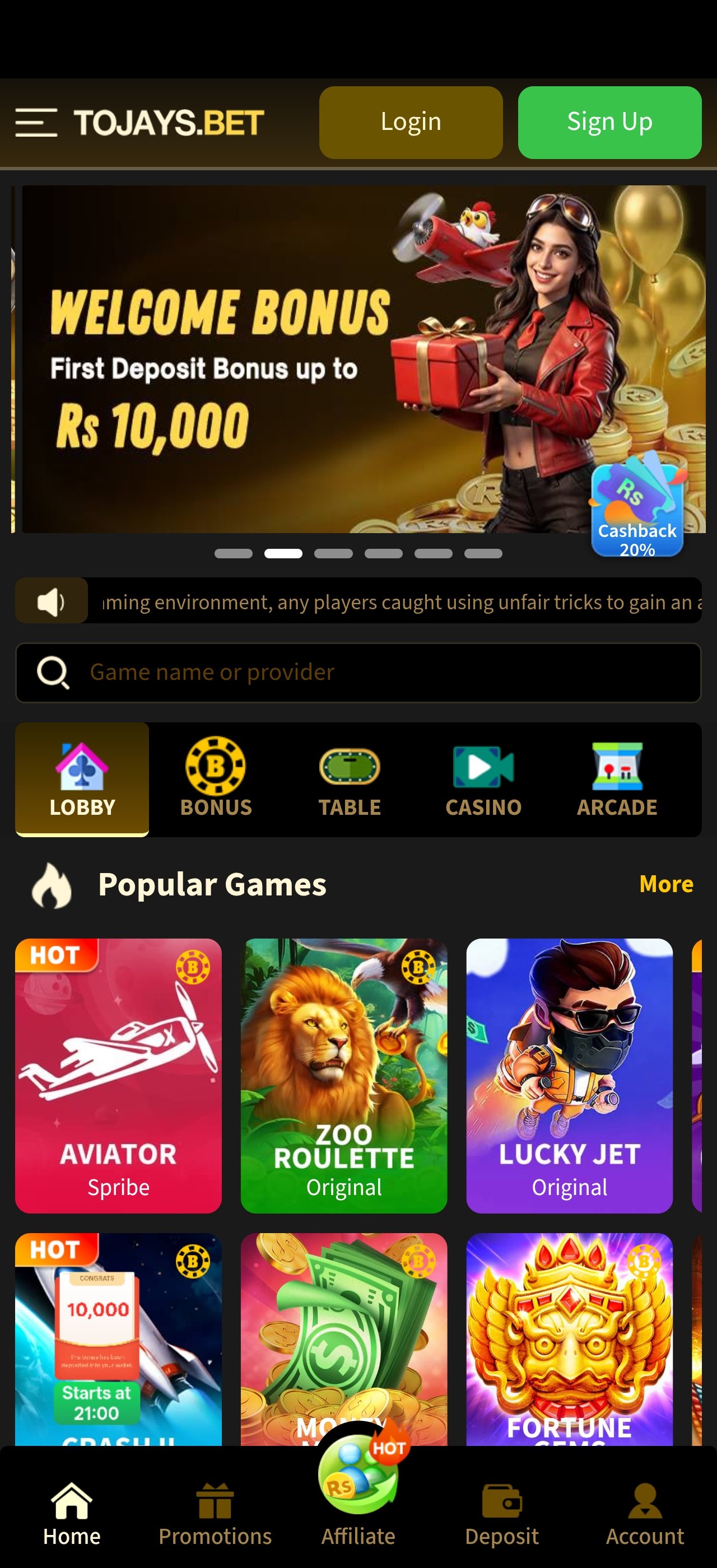
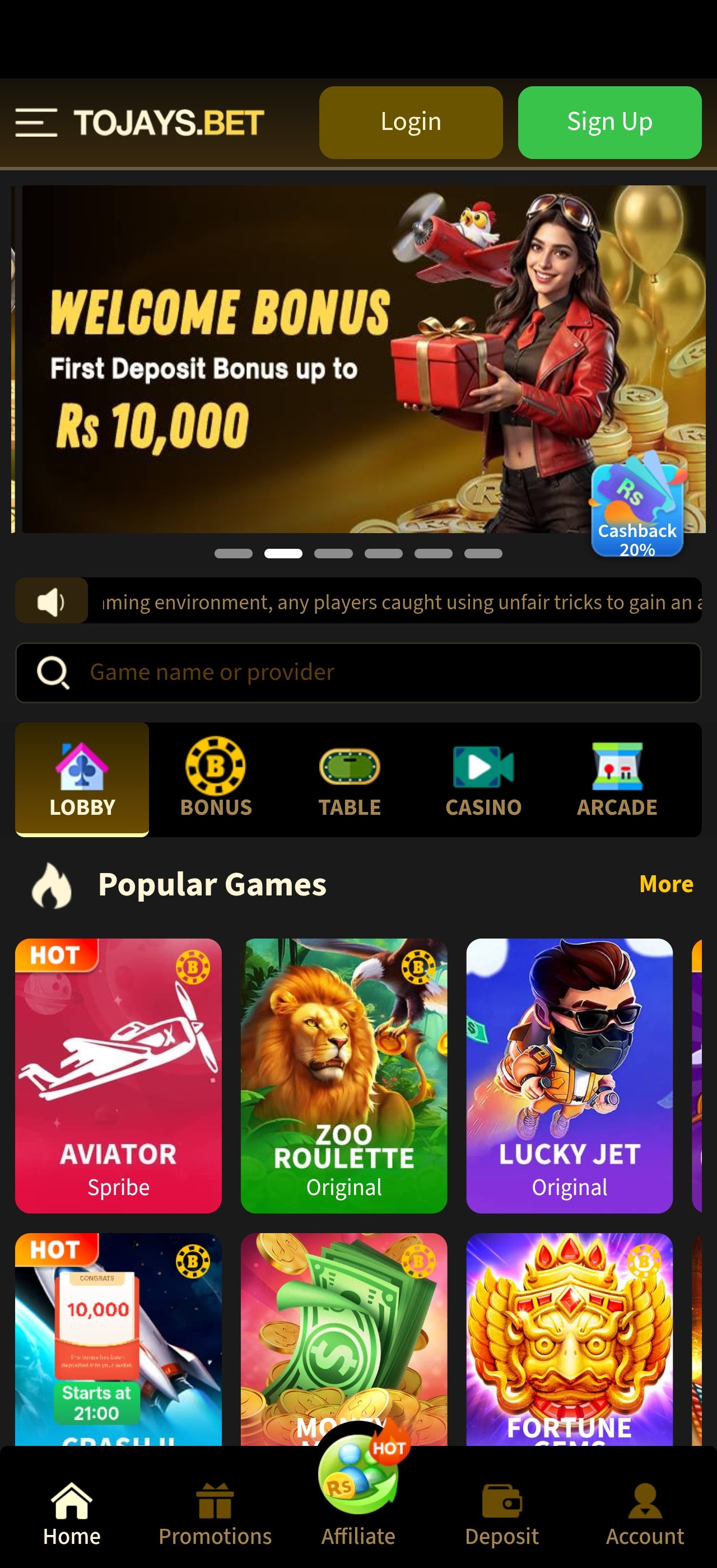
2J Game app home screen showing the welcome bonus banner and popular slot games
48 MB Only Verified Safe 2-Min Install

Verified Safe File

Build hash checked against the publisher before this page is updated.

No Extra Bundles

One app, no bundled installers, no toolbars, no secondary downloads.

Minimal Permissions

Storage and network only — no contacts, no SMS, no call log access.

In-App Updates

Later versions install over the top — no need to uninstall first.

24/7 Install Help

Stuck at any step? Telegram support responds around the clock.

Install guide

How to install the 2J latest APK

Android blocks installs from outside the Play Store by default. That is a sensible precaution, and switching it on for one download is straightforward. Menu names vary slightly between manufacturers — Samsung, Xiaomi, Infinix and Tecno each word it a little differently — but the sequence is always the same.

1

Allow unknown sources

Open Settings → Apps → Special access → Install unknown apps, pick the browser you will download with, and switch the permission on. On some devices this sits under Settings → Security instead. You can turn it back off once the install finishes.

2

Download the file

Tap the download button on this page. Wait for the progress bar to complete fully — an interrupted download produces a file Android will refuse to open. On a normal 4G connection the 48 MB file takes well under a minute.

3

Open and install

Tap the completed download in your notification shade, or find it in your Downloads folder. Confirm the install prompt. If Play Protect shows a warning about an unrecognised developer, that is standard for any app distributed outside the Play Store.

4

Launch and set a limit

Open the 2J app from your home screen, register or sign in, and — before your first spin — set a session or spend limit in the account settings. It takes ten seconds and it is the single most useful habit in slot play.

One safety rule worth repeating Only download the 2J new APK from the official link on this page. Files forwarded through messaging apps or found on mirror sites are routinely repackaged with unwanted extras. If a downloaded file’s size differs substantially from the 48 MB figure published here, delete it and start again.
Every device

Android, iOS and desktop

The 2J platform is built mobile-first, but it runs everywhere. Pick your device below for the specific route.

Installing the 2J APK on Android

This is the primary route and the one most players in Pakistan use. The APK is a single 48 MB file that installs the full app, including the slot lobby, the bonus centre and the account panel. Android 7.0 (Nougat) or later is required; in practice anything from the last six or seven years qualifies.

Once installed, the app behaves exactly like a Play Store app — it appears in your drawer, supports notifications, and can be uninstalled normally from Settings. The only difference is where the file came from.

  • Works on Samsung, Xiaomi, Infinix, Tecno, Oppo, Vivo and Realme
  • Around 250 MB free storage recommended for artwork caching
  • No root access required at any point
  • Unknown-sources permission can be revoked immediately after install

Menu paths by brand

Samsung (One UI)

Settings → Apps → ⋮ → Special access → Install unknown apps

Xiaomi (MIUI / HyperOS)

Settings → Privacy protection → Special permissions → Install unknown apps

Infinix / Tecno (XOS / HiOS)

Settings → Security → Install unknown apps

Stock Android / Pixel

Settings → Apps → Special app access → Install unknown apps

Before you install

System requirements

Minimum figures are the floor at which the app will run. Recommended figures are what you want for smooth reel animation and fast lobby loading, particularly in the Megaways titles where the grid redraws frequently.

2J app v4.2.1 — device requirements
Requirement Minimum Recommended
Android version7.0 (Nougat)10.0 or later
iOS version13.015.0 or later
RAM2 GB4 GB or more
Free storage120 MB250 MB or more
Install size48 MB (before artwork caching)
Screen720 × 12801080 × 2340 or higher
Connection3G / 2 Mbps4G, 5G or Wi-Fi
PermissionsStorage and network access only
LanguagesEnglish and Urdu
PriceFree to download and install
If something goes wrong

Troubleshooting the 2J APK install

Four issues account for almost every install problem people report. Each has a straightforward fix.

“App not installed” appears at the end

Usually an older copy of the app is still present with a different signature, or storage is genuinely full. Uninstall any previous version first, confirm you have at least 120 MB free, then reinstall. If it persists, restart the phone and try once more before contacting support.

“Parse error” when opening the file

This nearly always means the download was interrupted and the file is incomplete. Delete the partial file from your Downloads folder and download again on a stable connection. It can also appear if your Android version is below 7.0, in which case the app cannot be installed at all.

Play Protect blocks the install

Play Protect flags anything distributed outside the Play Store, regardless of what it contains. Choose Install anyway on the warning dialog. If you would rather not, the browser version of the platform gives you the same 75 slot titles with nothing to install.

The app installs but games load slowly

Slot artwork caches on first open, so the very first launch of each title is the slowest it will ever be. If it stays slow, clear the app cache from Settings → Apps → 2J → Storage, make sure at least 250 MB is free, and close background apps. Enabling data-light mode inside the app also helps on older handsets.

Release notes

2J app version history

Recent builds of the 2J latest app and what changed in each.

v4.2.1 Current release

Faster lobby cold-start, improved artwork caching on 3 GB devices, refreshed bonus centre layout, and fixes for two reported crash paths on Android 14.

v4.1.4 Previous

Added the recently-played rail to the lobby, extended Urdu interface coverage, and reduced the install package by roughly 6 MB through asset recompression.

v4.1.0 Earlier

Introduced data-light rendering mode, session and spend limit controls in account settings, and search that matches partial game names.

v4.0.2 Earlier

Security hardening across the session layer, TLS 1.3 enforcement, and automatic sign-out after a period of inactivity.

Version details are published as a guide. The build available at any moment is determined by the platform operator.

Preview

What you get after installing

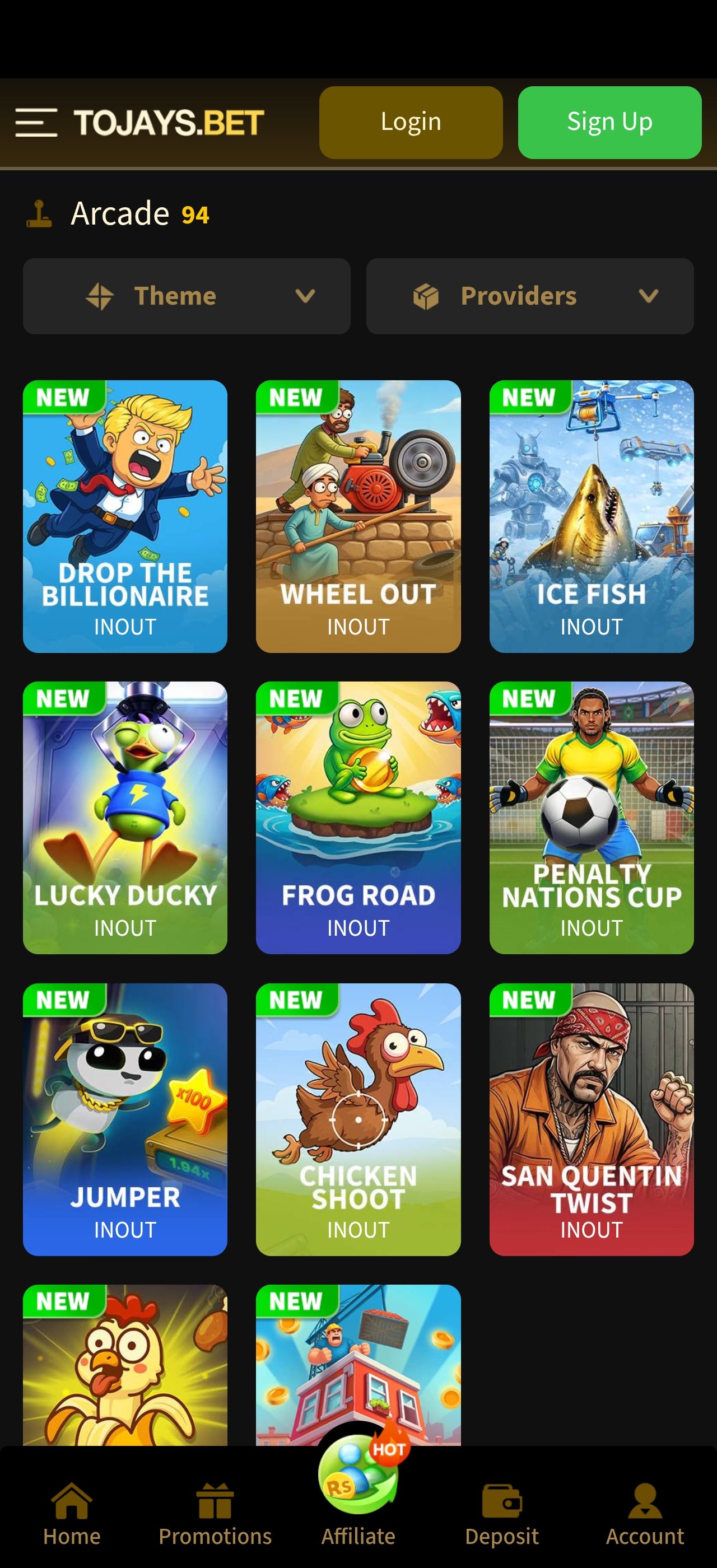
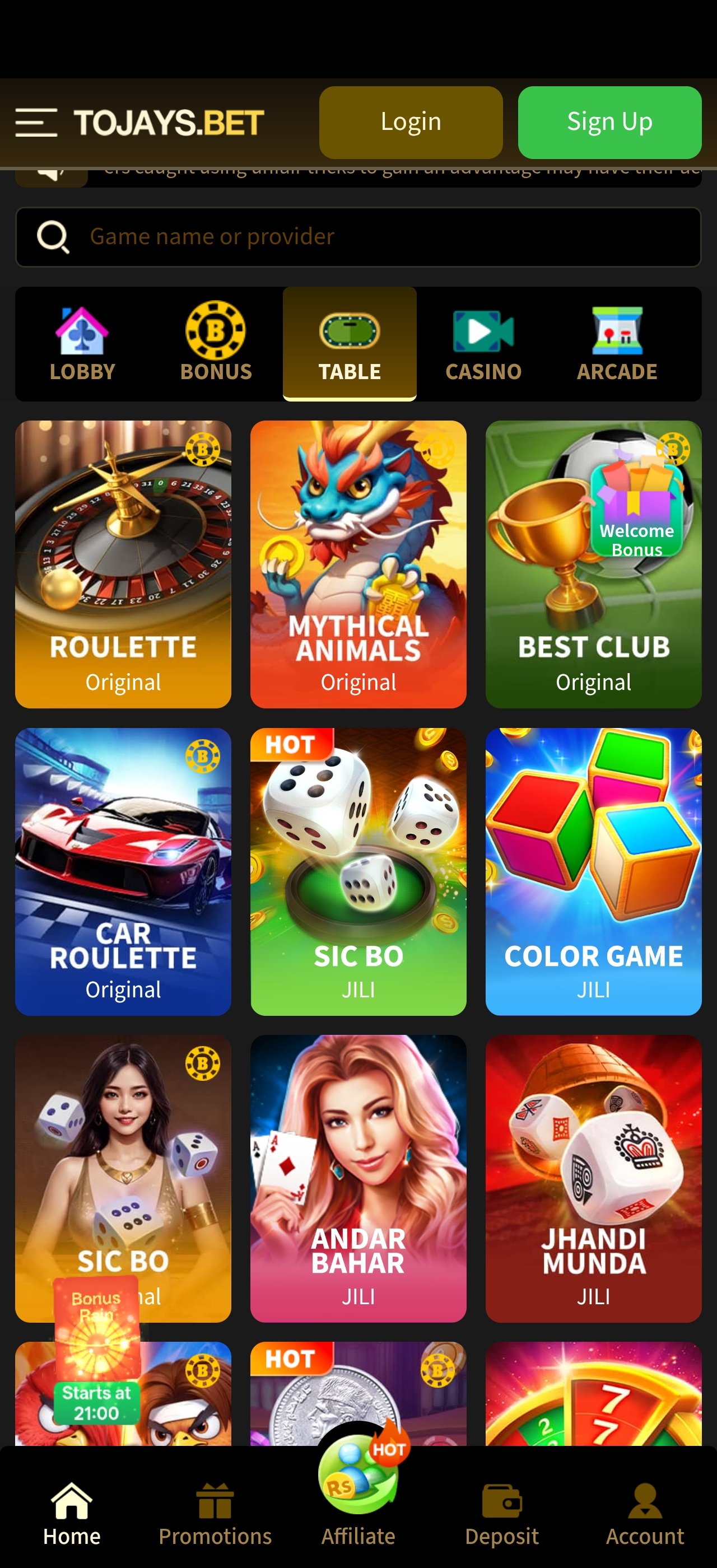
Three screens from the current 2J new app build. Tap any image to enlarge it.

2J app lobby with welcome bonus banner and popular slot games
2J app slot game grid showing thumbnails and provider labels
2J app bonus centre showing available reward tiers
Download FAQ

Questions about the 2J APK

The build we link to is checked against the publisher hash before this page is updated, requests only storage and network permissions, and bundles nothing else. The risk with APK files generally comes from unofficial mirrors, not from the format — which is why we recommend downloading only from the link on this page.

If you would rather not install anything at all, the browser version gives you the same slot library with no download step.

Google restricts real-money and gambling-adjacent applications on the Play Store by territory, and many such apps are distributed directly by the operator as a result. This is common across the category and is not in itself an indicator of a problem with the file.

No. The download and install are free, and there is no subscription attached to the app. Deposits and bonus opt-ins inside the platform are entirely optional and governed by the operator’s terms.

No. Install the new APK over the existing app. Your account, favourites, recently-played list and any limits you have set are preserved. Only uninstall first if you hit an “App not installed” error, which usually indicates a signature mismatch with an old build.

The 48 MB install is the largest single transfer. After that, artwork caches locally, so a typical thirty-minute session uses a modest amount of data — considerably less than the browser version, which re-fetches thumbnails each visit. Data-light mode reduces it further.

Yes. Sign in with the same account on any number of devices — Android, iOS home-screen app or desktop browser. Favourites, history and settings follow your account rather than the handset.

2J APK download — everything in one guide

Searches for the 2J apk, the 2J new apk and the 2J latest apk all lead to the same place: a single 48 MB Android package that installs the full 2J Game app. This page documents that file — what it contains, what it needs, how to install it, and what to do when something does not go to plan.

Why an APK rather than a store download

Google restricts gambling-adjacent apps on the Play Store by territory, so operators in this category commonly distribute directly. The practical consequence for you is one extra permission toggle during install and no automatic updates afterwards. Neither is difficult; both are documented above.

What the app actually adds over the browser

The honest answer is: caching, resilience and convenience. Slot artwork is stored on the device, so a title you have opened before loads faster and costs you less mobile data on every subsequent visit. The app also recovers better from interruptions — take a call mid-session and you return to the screen you were on rather than the lobby. And it sits on your home screen, which removes the browser-and-bookmark step entirely.

What it does not add is a different game library or better odds. The 2J latest app and the browser version serve the same 75 slot titles from the same platform.

Storage, data and older handsets

The install is 48 MB, but plan for around 250 MB of free space so the app has room to cache artwork comfortably. On devices with 2 GB of RAM the app runs but benefits noticeably from data-light mode, which reduces animation complexity in the lobby and inside the reel grids. Devices with 4 GB or more will not need it.

Security, honestly stated

Sideloading an app means taking responsibility for where the file came from. The build linked here requests storage and network permissions only — no contacts, no SMS, no call log — and traffic runs over TLS 1.3. Play Protect will still warn you, because it warns about every non-store install regardless of contents. What genuinely matters is the source: download from this page, verify the file size, and ignore forwarded copies.

After you install

Before your first spin, open account settings and set a session or spend limit. Browse the full slot library to see what is available, read the bonus terms before opting into the welcome offer, and join the Telegram group so you hear about new builds when they ship. Play is entertainment; treat the budget as the price of it.
2j apk 2j new apk 2j latest apk 2j app download 2j new app 2j latest app 2j game apk download 2j apk for android 2j game install 2jnew apk
v4.2.1 · 48 MB · Free

Get the 2J latest APK now

Two minutes from tap to first screen. 75 slot titles, a Rs 10,000 welcome offer, and round-the-clock support if you need a hand at any step.

Set your limit before you install

The 2J app includes session and spend controls in account settings. Use them. Gambling involves financial risk and may be addictive — play responsibly, and never treat play as a source of income. 18+ only.

Responsible gaming